Dual Speaker
Play sound on two speakers at once One on a cable, one on Bluetooth, playing together with no echo.
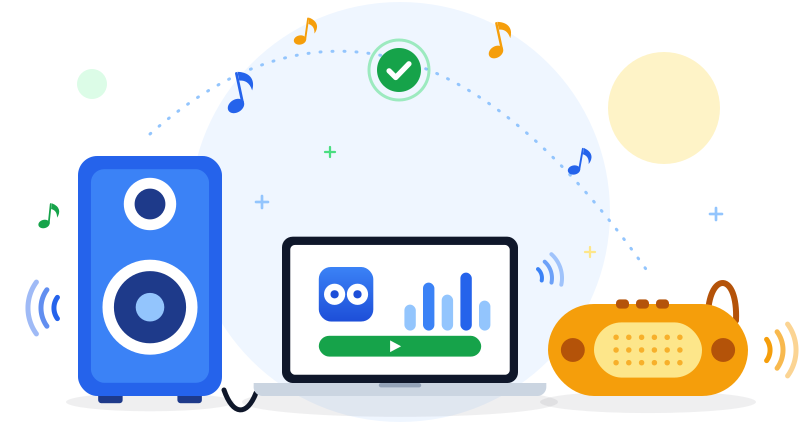
Windows only plays to one speaker at a time. Dual Speaker sends your PC's sound to a cable speaker and a Bluetooth speaker together, and lines them up so you hear one clean sound instead of an echo.
Dual Speaker runs on Windows PCs. You can still download it here and copy it to your PC, or open this page on the PC itself.
- No account
- No ads
- Works offline
The problem
Why two speakers are harder than they should be
You have a speaker on a cable and a Bluetooth speaker, and you want the room filled with sound. Windows gets in the way twice.
-
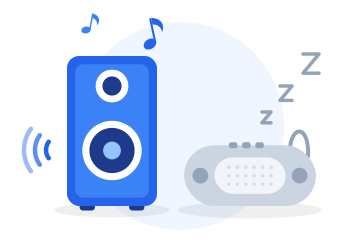
Windows picks only one
Windows sends sound to a single output. Connect a second speaker and one of them stays silent.
-
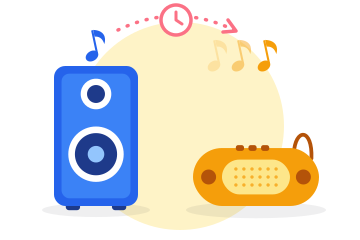
Bluetooth always runs late
A Bluetooth speaker plays a fraction of a second behind a cable speaker. Use both and you hear everything twice.
-
The usual fixes are fiddly
Stereo Mix, virtual audio cables and on-screen mixing desks take real setup. Dual Speaker is one window with one button.
How it works
Three steps, then just music
No settings pages and no audio jargon. If you can press a button and move a slider, you can use it.
-
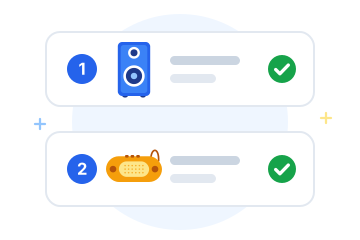
1Choose your speakers
Dual Speaker finds your cable speaker and your Bluetooth speaker and fills them in for you.
-
2Press Start
Your PC's sound now plays on both: music, films, YouTube, anything your PC plays.
-
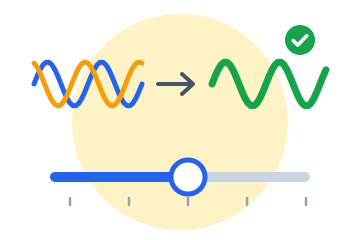
3Remove the echo, once
Move one slider until the two speakers sound like one. It is saved, so next time you only press Start.
In sync
Where the echo comes from, and how it is removed
Bluetooth has to compress sound, send it by radio and unpack it inside the speaker. That takes time, so a Bluetooth speaker always plays a little after a cable speaker.
No app can make Bluetooth faster. Dual Speaker does the one thing that works: it holds the cable speaker back by exactly the same amount, so both speakers play at the same moment.
It also keeps them there. Every speaker runs on its own clock, and two clocks slowly drift apart. Dual Speaker measures the gap continuously and corrects it, so the sound is still together hours later.
Without Dual Speaker
 Cable
Cable Bluetooth
You hear everything twice.
With Dual Speaker
CableBluetoothBoth arrive together. One clean sound.
What you get
Small, simple and free
Built to do one job well and stay out of your way.
-

Free, with no catch
No trial, no paid version, no ads and no account. Download it and use it.
-

One small file
About half a megabyte. Nothing to install and no drivers: just open the file.
-

Stays in sync
Corrects for speaker drift by itself, so the sound stays together all evening.
-

A volume for each speaker
Balance the room by turning each speaker up or down separately.
-

Remembers your speakers
Your speakers and each Bluetooth speaker's echo setting are saved for next time.
-

Private by design
Dual Speaker never connects to the internet. Your sound stays on your PC.
Step by step
How to play audio on two speakers in Windows 10 and 11
From download to both speakers playing takes about two minutes.
-
Download Dual Speaker
Download DualSpeaker.exe from this page. There is nothing to install: the file you download is the app.
-
Connect both speakers
Plug in your cable speaker, and pair your Bluetooth speaker in Windows Settings under Bluetooth & devices.
-
Open Dual Speaker
Double-click DualSpeaker.exe. Your cable speaker appears under 1 and your Bluetooth speaker under 2; change them if the app guessed wrong.
If Windows shows “Windows protected your PC”, choose More info, then Run anyway. Windows shows this for new apps that are not code-signed.
-
Press Start
Press the green Start button and play some music or a video. The sound now comes from both speakers.
-
Remove the echo
If you hear the sound twice, switch on the ticking sound and move the slider until each tick sounds like one. If the Bluetooth speaker is heard first, move left; if the cable speaker is heard first, move right.
-
Balance the volume
Use the two Volume sliders to make each speaker as loud as you want. Press Stop when you are done.
Questions
Frequently asked questions
Can Windows play audio through two speakers at the same time?
Not by itself. Windows 10 and Windows 11 send sound to one output device at a time, so a second speaker stays silent. Dual Speaker adds the missing piece: it copies everything your PC plays to a second speaker and keeps the two in time with each other.
Is Dual Speaker really free?
Yes. It is free to download and free to use, with no trial period, no paid version, no ads and no account to create.
Which versions of Windows does it work on?
Windows 11 and Windows 10. Everything the app needs is already part of an up-to-date copy of Windows, so there is nothing extra to install.
Why does my Bluetooth speaker play later than my wired speaker?
Bluetooth has to compress the sound, send it by radio and unpack it again inside the speaker. That takes roughly a tenth to a third of a second, so a Bluetooth speaker always plays slightly after a cable speaker and you hear an echo. Dual Speaker holds the cable speaker back by the same amount so both play together.
Do I have to set it up every time?
No. You adjust the echo slider once for a Bluetooth speaker and Dual Speaker remembers it. Next time you only press Start.
What kinds of speakers can I use?
The cable speaker can be anything wired to the PC: speakers or headphones on the headphone jack, USB speakers, or the speakers built into a monitor. The Bluetooth one can be a Bluetooth speaker, soundbar or headphones. Dual Speaker is built for one of each; two Bluetooth speakers or two cable speakers are not supported yet.
Does it work for videos and games?
Yes, with one thing to know. Because both speakers are lined up to Bluetooth timing, videos and games have the same slight sound lag you would get from the Bluetooth speaker alone. For music it makes no difference.
Is it safe? Why does Windows show a warning the first time?
Dual Speaker is a single file. It does not install anything, does not ask for administrator rights and never connects to the internet. Windows shows a “Windows protected your PC” message for new apps that are not code-signed; choose More info, then Run anyway. You can check your download against the SHA-256 checksum shown on this page.
Does it change my Windows settings?
While it is running, Dual Speaker makes the Bluetooth speaker the Windows output so it can copy the sound to the cable speaker. When you press Stop or close the app, it switches back to the speaker you were using before.
How do I remove it?
Delete the DualSpeaker.exe file. The app also keeps one small settings file in a DualSpeaker folder inside AppData\Roaming, which you can delete too.
Your ideas
What would make Dual Speaker better?
A speaker it does not handle well, something that confused you, a feature you wish it had. Tell us in a sentence or two.
Free download
Download Dual Speaker for Windows
Fill the room with sound from both speakers. It takes two minutes and costs nothing.
- Version
- 1.0.0, released 9 October 2026
- Works on
- Windows 10 and Windows 11
- File
- DualSpeaker.exe, 509 KB
- SHA-256
d2c615a6962474118a7e249b9e4d0e9143bbd8cddd069d2dbe3b509bdb225820